Skip to content
Request a demo
Language

CMMS with AI for industrial maintenance

Maintenance
that never stops.

Mantenix is a CMMS for plants, fleets and service teams: work orders, preventive plans, fleet and safety in one system. AI organizes the work, your team approves it, and the technician closes it from the phone, even without signal.
Request a demo

02 / 06 · Machine room

Assets

Every asset with its QR code and its history.

Scan the pump’s QR code and see its failures, readings, parts and pending work, even without signal.
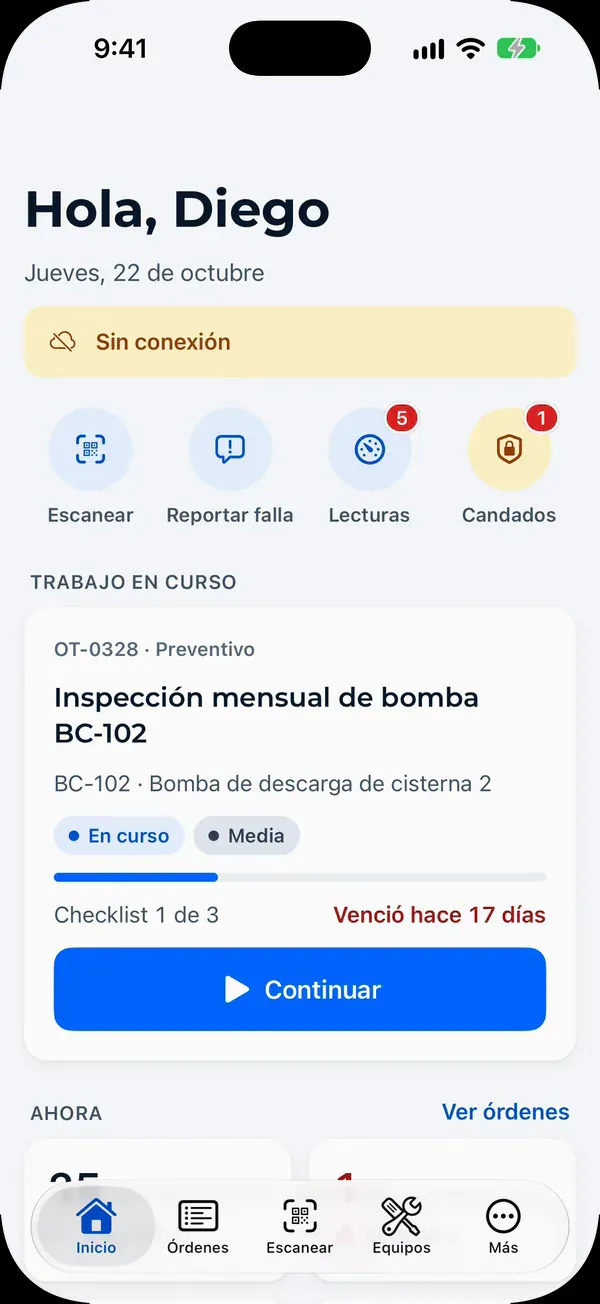
  • QR code per asset
  • ISO 14224 failure modes
  • Meter readings

03 / 06 · Production line

Work orders and preventive

Preventive work that arrives before the failure.

Plans by calendar or usage create the work orders days ahead, with checklist, permit and technician.

  • By time or by usage
  • SLA per priority
  • Permits and LOTO

04 / 06 · Parts warehouse

Inventory

The right part, before you need it.

Stock per warehouse and an inventory agent that proposes minimums and flags critical parts missing for upcoming preventive work.

  • Stock per warehouse
  • Suggested minimums
  • Purchase lists drafted by AI

05 / 06 · Fleet yard

Fleet

No truck leaves with a critical defect.

Inspection before every trip, repair approved with a signature, documents with expiry warnings and cost per kilometer.

  • Inspection before every trip
  • Defects stop the unit
  • Cost per kilometer

06 / 06 · Control room

Dashboard and AI

AI proposes. You approve.

MTBF, MTTR and availability from real records, an assistant that answers from your data, and a connector for Claude and ChatGPT.

  • Live dashboard
  • AI with human approval
  • Claude and ChatGPT
Skip the walkthrough

Works with

  • Claude

    Ask about your maintenance from Claude with the Mantenix connector.

  • ChatGPT

    The same connector, with an authorization tied to your company.

  • WhatsApp

    Anyone reports a failure and hears back when the order is closed.

  • CSV and Excel

    Import your assets from Excel and export any view to Excel or PDF.

  • Email

    Requests sent by email become work orders with asset and priority.

The problem

Maintenance still runs on paper, calls and WhatsApp.

Requests get lost in chats, technicians fill in forms twice, and nobody can say what last month’s downtime cost. Mantenix turns all of it into one record per asset.

TaskPaper, spreadsheets and WhatsAppMantenix
Failure reportPaper, spreadsheets and WhatsApp: A call or WhatsApp message someone has to type up.Mantenix: A request from the portal, QR, email or WhatsApp that becomes a work order with asset and priority.
PreventivePaper, spreadsheets and WhatsApp: A spreadsheet someone checks when they remember.Mantenix: Calendar or meter plans that open the work order days before it is due.
EvidencePaper, spreadsheets and WhatsApp: Photos on the technician’s phone, not tied to the asset.Mantenix: Photos, readings and checklist inside the order, even offline.
SignaturePaper, spreadsheets and WhatsApp: Paper forms that arrive days later, or never.Mantenix: Technician and client sign in the app, with date and time.
PermitsPaper, spreadsheets and WhatsApp: A paper permit nobody checks before work starts.Mantenix: The order can’t start until the permit to work and LOTO are approved.
MTBF and MTTRPaper, spreadsheets and WhatsApp: Estimated at month end, if someone builds the spreadsheet.Mantenix: Calculated from real work orders, per asset and site.
Downtime costPaper, spreadsheets and WhatsApp: You know the asset stopped, not what it cost.Mantenix: Downtime hours times the rate you set, per asset and site.

AI proposes. Your team decides. Every order closes with evidence.

Solutions

One system for every operation you maintain.

Plants, fleets, service contracts and food lines share the same discipline: every asset with its history, every job with its evidence.

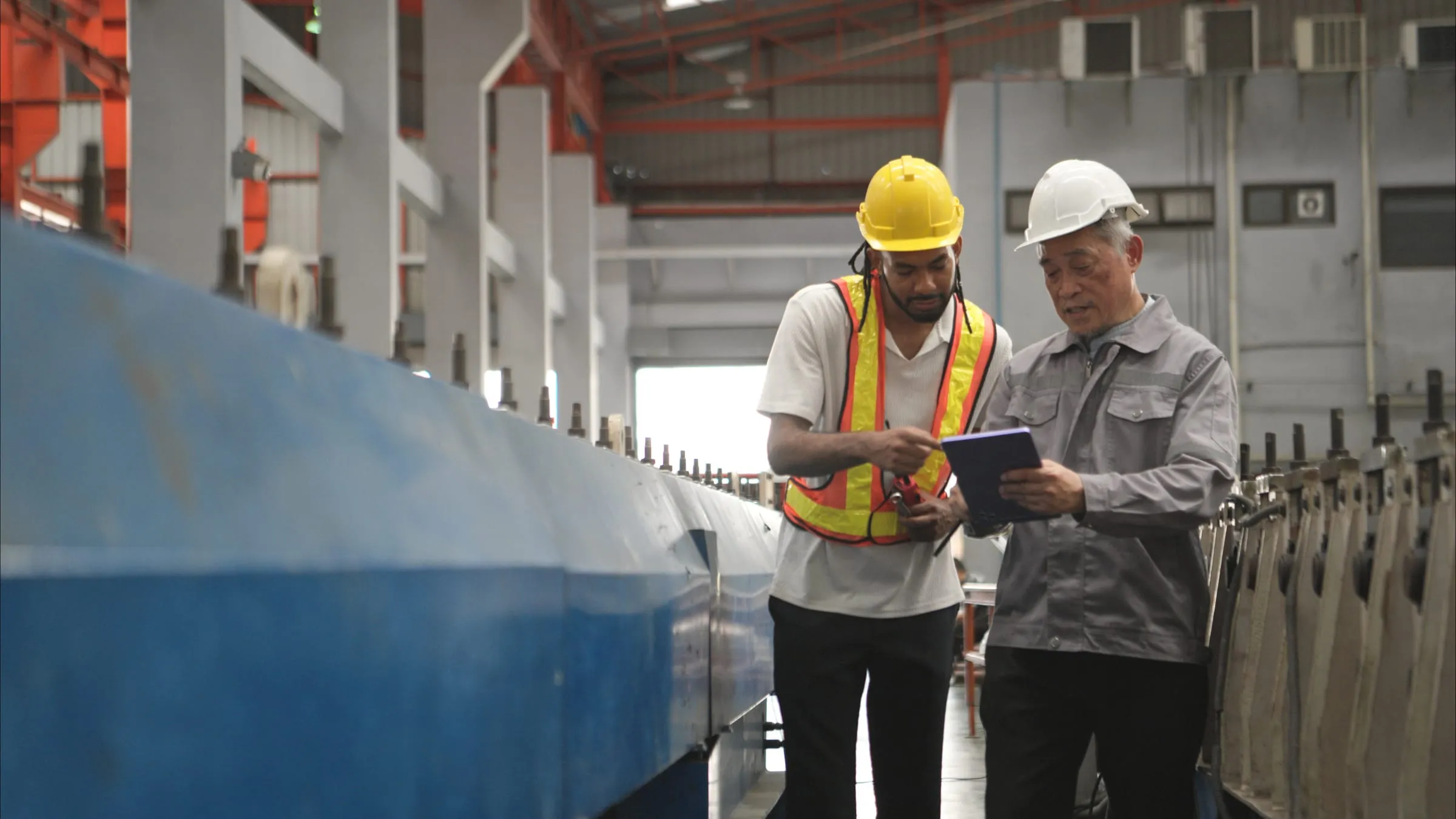
Two maintenance engineers in hard hats review a production line with a tablet.

Plants that stop less, with every asset under control.

The asset tree down to each component, preventive plans by time or usage, and a permit to work before every risky job.

  • Assets, systems and components with criticality and history
  • Preventive calendar with compliance per plant
  • Lockout and tagout with a padlock per person
Explore · Industrial plant
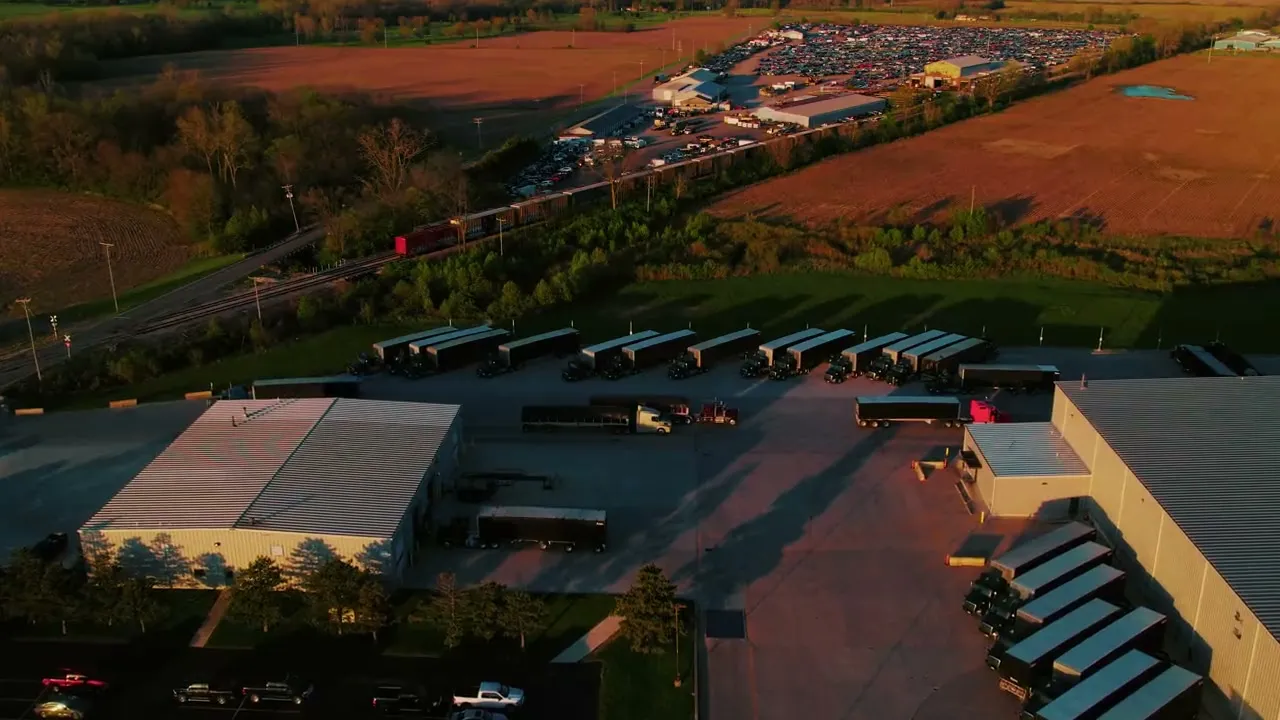
A fleet engineer in a hard hat and safety vest checks a tablet next to a truck.

Vehicles leave inspected, or they don’t leave.

Drivers inspect the unit from the phone before every trip. A critical defect stops the vehicle until a supervisor approves the repair.

  • Inspection before every trip, with photos
  • Documents with expiry warnings
  • Availability and maintenance cost per kilometer
Explore · Fleets
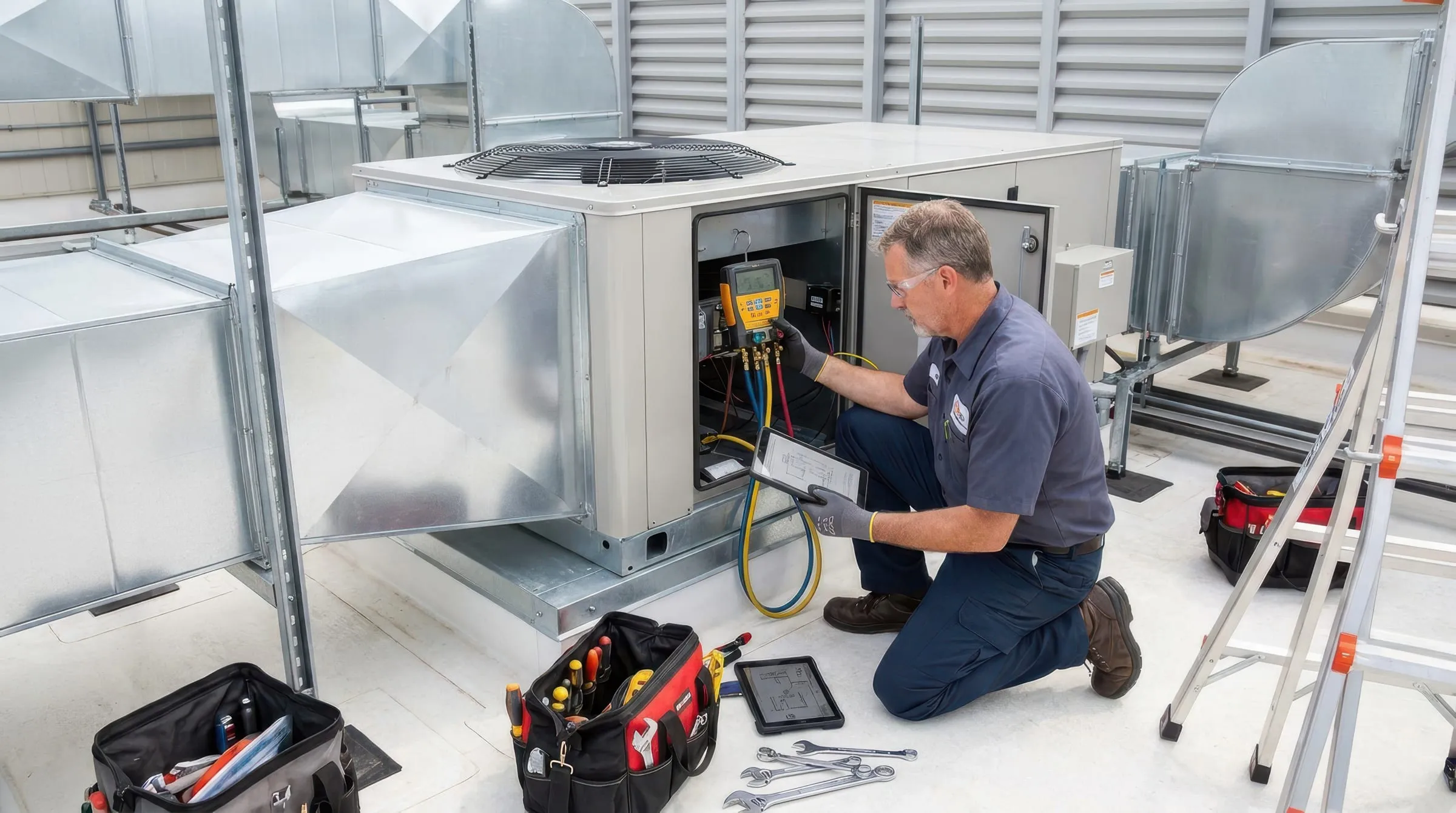
An HVAC technician services a rooftop air conditioning unit.

Service contracts your clients can see.

Field technicians, contractors and SLAs in one place, with a client portal under your brand.

  • Client portal with equipment, reports and signatures
  • Contractors with documents and expiry dates
  • SLA compliance per client and contract
Explore · Technical services
A technician in a hairnet adjusts a machine on a food production line.

Every repair, ready for the food safety audit.

Readings, permits and release checklists signed before the line restarts, with evidence your auditor can follow.

  • Cold room and meter readings from the app
  • Release checklist signed by QA
  • Technical report ready for HACCP or BRC audits
Explore · Food and beverage

Also forEnergy & solarHealthcareFacilities & real estate

Product tour

The screens your team will use tomorrow.

Real Mantenix screens with demo data: the web panel for planners and managers, and the app technicians carry in the field, even without signal.
Every work order, its SLA and its technician.

Priority, due date and status of every job across plants, with overdue work in red before the client calls.

Explore · Work orders
Work order list with asset, type, priority, status, technician and due date.

AI suggests, people confirm.

On close, AI proposes the ISO 14224 failure mode, mechanism and cause. The supervisor accepts or corrects it with one tap.

Explore · AI agents
AI suggestion on a work order: ISO 14224 failure classification at 88% confidence, to accept or correct.

Lockout/tagout with a padlock per person.

Isolation points, try-out verification, group lockbox and signatures, recorded step by step on the permit.

Explore · Permits and LOTO
Lockout/tagout permit with isolation points, padlocks per person, checklist and signatures.

The plant as a tree, down to each component.

Areas, systems, equipment and components with their status, criticality and history.

Explore · Assets
Asset tree of a plant with its areas, systems and a stopped air compressor.

A preventive calendar that shows compliance.

Plans by time or by usage, with each job colored on time, in window or overdue.

Explore · Preventive
Monthly preventive maintenance calendar with the compliance for the period.

Your clients see their service live.

Equipment status, contract, SLA compliance and upcoming maintenance, under your brand.

Explore · Client portal
Client portal of a service provider: equipment status, service contract, SLA compliance and upcoming maintenance.

Outside contractors under control.

Documents with expiry dates, induction per person and performance: on time, rework, hours on site and cost.

Explore · Contractors
Contractor record with document compliance, pending induction and performance: on time, rework, hours on site, cost and rating.

Screens in Spanish, with demo data.

AI with human approval

A crew of agents that never clocks out.

Each agent owns one part of the maintenance cycle. They work on your real assets, sites and procedures, and every action they take leaves a trace you can audit.

Explore · AI agents

Proposal · awaiting approvalREQ-0412 → WO-2026-001184 · priority urgent

Turns each request from the portal, email or WhatsApp into a work order with asset, priority and SLA.

A request reported by QR code with the AI suggestion: symptom, priority and failure mode.

Proposal · awaiting approvalPM chiller CH-01 · created 7 days ahead

Creates preventive work orders days before they are due, from routines, meters and history.

Monthly preventive maintenance calendar with the compliance for the period.

Proposal · awaiting approvalLead: J. Mora · PTW electrical approved

Proposes the technician by certification, availability and distance, with the permit already approved.

A work order that cannot start until its hot work permit is active, with an emergency start option.

Proposal · awaiting approvalPump P-07 · vibration trending +18%

Flags the assets heading toward a failure and explains the reason behind every alert.

Pareto chart of failure modes with the cumulative percentage, next to pending requests, meters and permits.

Proposal · awaiting approvalTechnical report · 12 photos · 3 signatures

Writes the report with photos, readings and signatures, and delivers it once the order is approved.

A completed work order with the AI suggestion: ISO 14224 failure mode, mechanism and cause, ready to accept or correct.

Every suggestion waits for a person, who accepts or corrects it with one tap.

How it works

From failure to report in three steps.

See how it works

A real sequence

One failure. Zero phone calls.

Everything becomes a record on the same objects: asset, work order, technician, permit, report. Here is a real sequence, compressed.

By Monday, the decision to replace that contactor line was already written in the data.

WO-2026-001184 · Chiller CH-01 · Plant 2
  1. 15:04SensorChiller CH-01 at Plant 2 stops. Discharge pressure out of range.
  2. 15:04Intake agentWork order WO-2026-001184 created. Priority urgent, SLA 4 h.
  3. 15:06Dispatch agentJ. Mora assigned: refrigeration certified, 11 km away, available.
  4. 15:07Dispatch agentLOTO procedure and electrical permit to work attached.
  5. 16:12TechnicianArrived on site. Checklist started, works offline.
  6. 17:31TechnicianContactor replaced. 8 photos, readings and client signature.
  7. 17:40Report agentTechnical report sent. MTTR 2.6 h. Cost posted to the asset.

Field app

Built for the technician, not the office.

The field app works offline and asks only for what matters: the checklist step, the photo, the reading, the signature. The agents do the paperwork.

  • Works offline, syncs when back in coverage
  • Photos, video and audio as evidence
  • Travel, work and wait time tracked
  • Digital signatures from technician, client and supervisor
  • Permit to work required before risky tasks
Explore · Field app
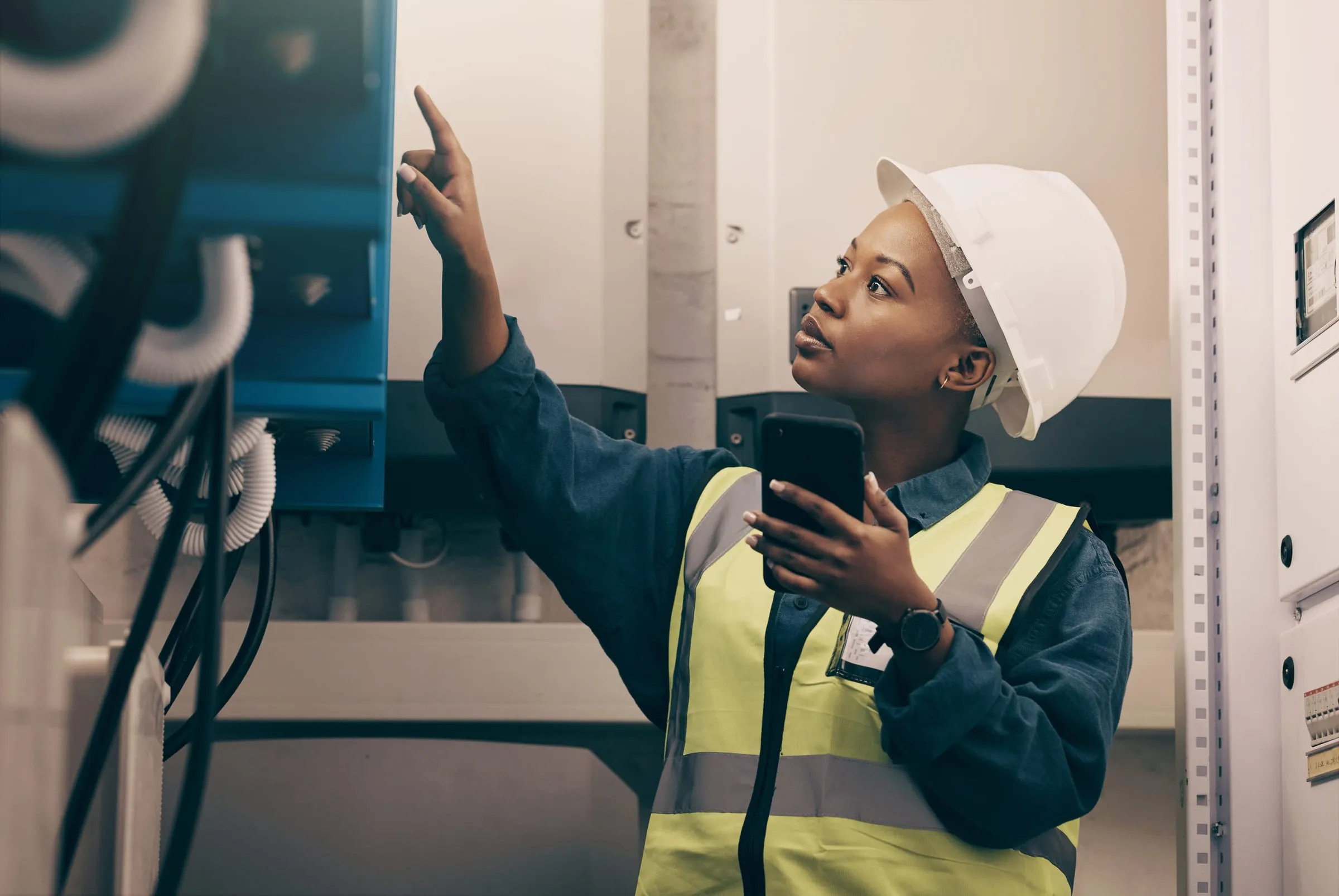
A technician in a hard hat and safety vest checks her phone in an electrical room.
Field app without signal: the technician fills in the preventive checklist and the changes wait to sync.

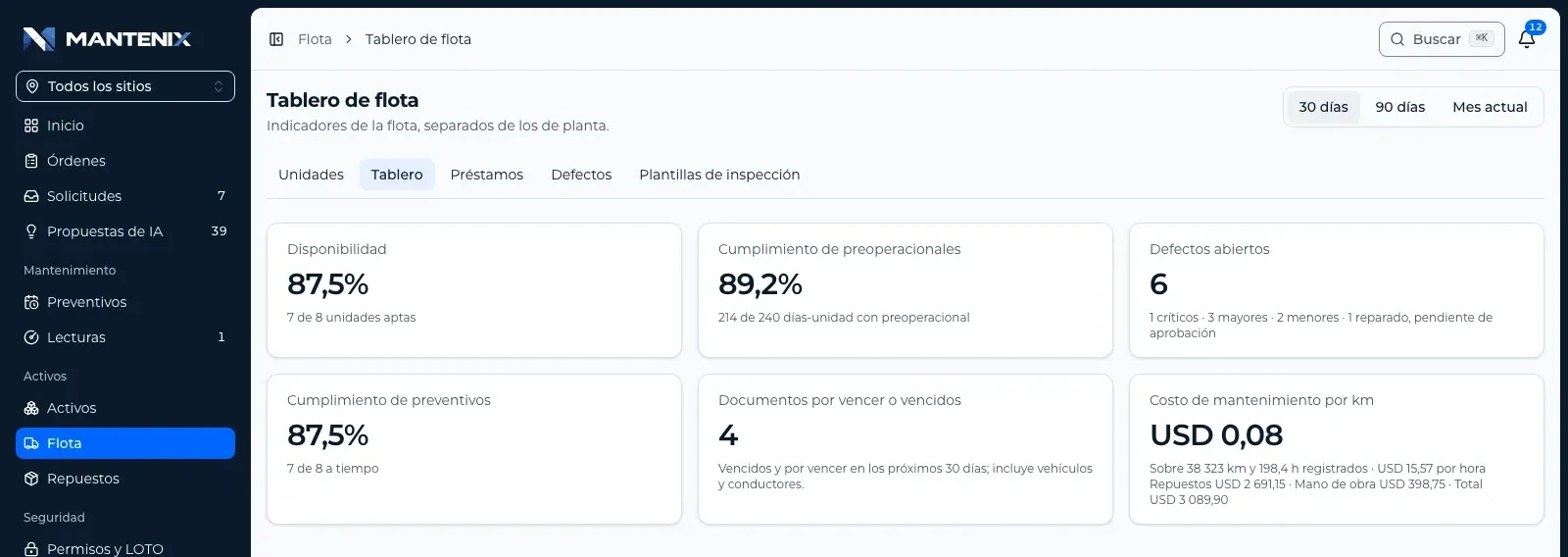
New · Fleet

Your fleet, ready to leave.

The fleet module brings the discipline of the plant to trucks, vans and forklifts: nothing leaves the yard with a critical defect.

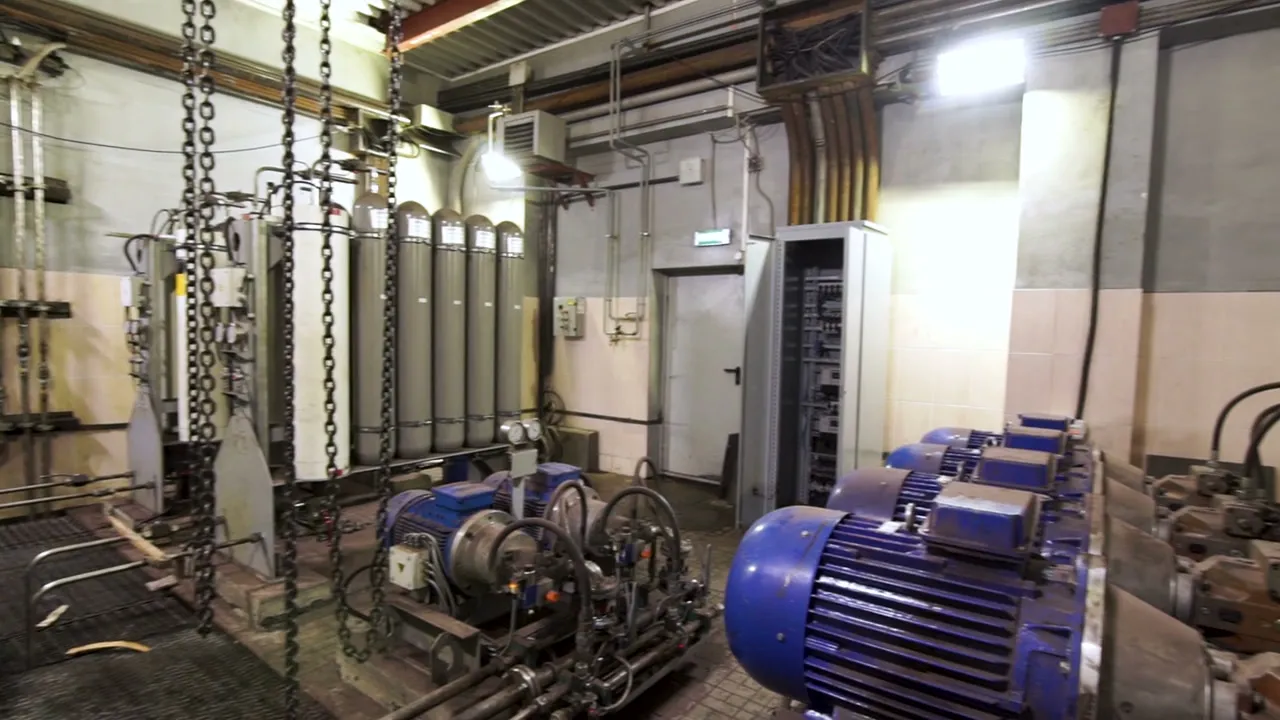
  1. 1

    Inspection before every trip

    The driver checks the unit from the phone, with photos, even without signal.
  2. 2

    Critical defects stop the unit

    The vehicle is marked not fit to use, and only a supervisor can release it.

  3. 3

    Repair with a signature

    The repair order opens on its own, and the supervisor approves the repair with a signature.

  4. 4

    Documents with expiry dates

    Insurance, technical inspections and licenses, with a warning before they expire.

  5. 5

    Loans and cost per kilometer

    Who has each vehicle right now, its availability and its maintenance cost per kilometer.

Fleet dashboard: availability, inspections done before use, open defects, preventive compliance, documents about to expire and maintenance cost per kilometer.
Request a fleet demoExplore · Fleet

Security

Your maintenance record, protected.

Permits, signatures and failure history are your company’s record. This is how Mantenix takes care of them.

Mantenix does not hold an ISO/IEC 27001 or SOC 2 certification of its own. Our infrastructure runs on providers that do, and what follows describes how the product is built on top of them.

Security and data

Data

  • Encrypted in transit (TLS) and at rest.
  • Each company isolated: none sees another’s data.
  • Private files, opened with links that expire in minutes.

Access

  • Admin, maintenance manager and technician roles.
  • Invitation only, limited to the sites each person works.
  • Two step verification and passkeys on every account.

AI

  • Sends only what each task needs.
  • A person reviews every suggestion before it counts.
  • Per Anthropic and OpenAI API terms, your data doesn’t train their models by default.

Infrastructure and providers

  • Laravel CloudISO/IEC 27001 · SOC 2 Type 2
  • Amazon Web ServicesISO/IEC 27001 · SOC 2
  • SupabaseISO/IEC 27001 · SOC 2 Type 2
  • Cloudflare R2ISO/IEC 27001 · SOC 2 Type II
  • PowerSync CloudSOC 2 Type 2
  • ResendSOC 2 Type II
  • AnthropicISO/IEC 27001 · ISO/IEC 42001 · SOC 2 Type II
  • OpenAIISO/IEC 27001 · SOC 2 Type 2

FAQ

Questions we hear before a demo.

Does the field app work without internet?

Yes. Checklists, photos, readings and signatures are saved on the device and sync on their own when coverage returns.

Does the AI make decisions on its own?

No. The agents propose the priority, the failure mode, the technician or the preventive plan, and a person accepts or corrects every suggestion.

Is our data used to train AI models?

No. The AI features send only what each task needs, and under our providers’ terms for API customers that data is not used to train their models.

Can we manage several plants and sites?

Yes. Every plant has its own assets, backlog and compliance, and managers see all of them in one dashboard.

How do maintenance requests come in?

From the client portal, by scanning the asset’s QR code, by email or through WhatsApp. Each one becomes a work order with its asset and priority.

Can we connect Claude or ChatGPT?

Yes. The Mantenix connector authorizes Claude or ChatGPT for one company, and you can disconnect it from the settings at any time.

Who can see our data?

Only your company. Every record belongs to one organization, access depends on each person’s role, and data is encrypted in transit and at rest.

Can we import our current assets?

Yes. You can import your assets from an Excel workbook and keep their nameplate photos.

What does the demo look like?

One hour with your assets, your sites and your terminology. No slides.

See it with your own operation.

One hour with your assets, your sites and your terminology. No slides.

Request a demo

Or write to ussupport@mantenix.com+506 7012 4238

Mantenix in one minute

Narrated in English. The app screens and on screen titles are in Spanish.